> ## Documentation Index
> Fetch the complete documentation index at: https://docs.pawtograder.com/llms.txt
> Use this file to discover all available pages before exploring further.
# Resolving and Feedback
> Close your own help request, pick the reason that fits, and rate the help you received
# Resolving and Feedback
## Resolving Your Help Request
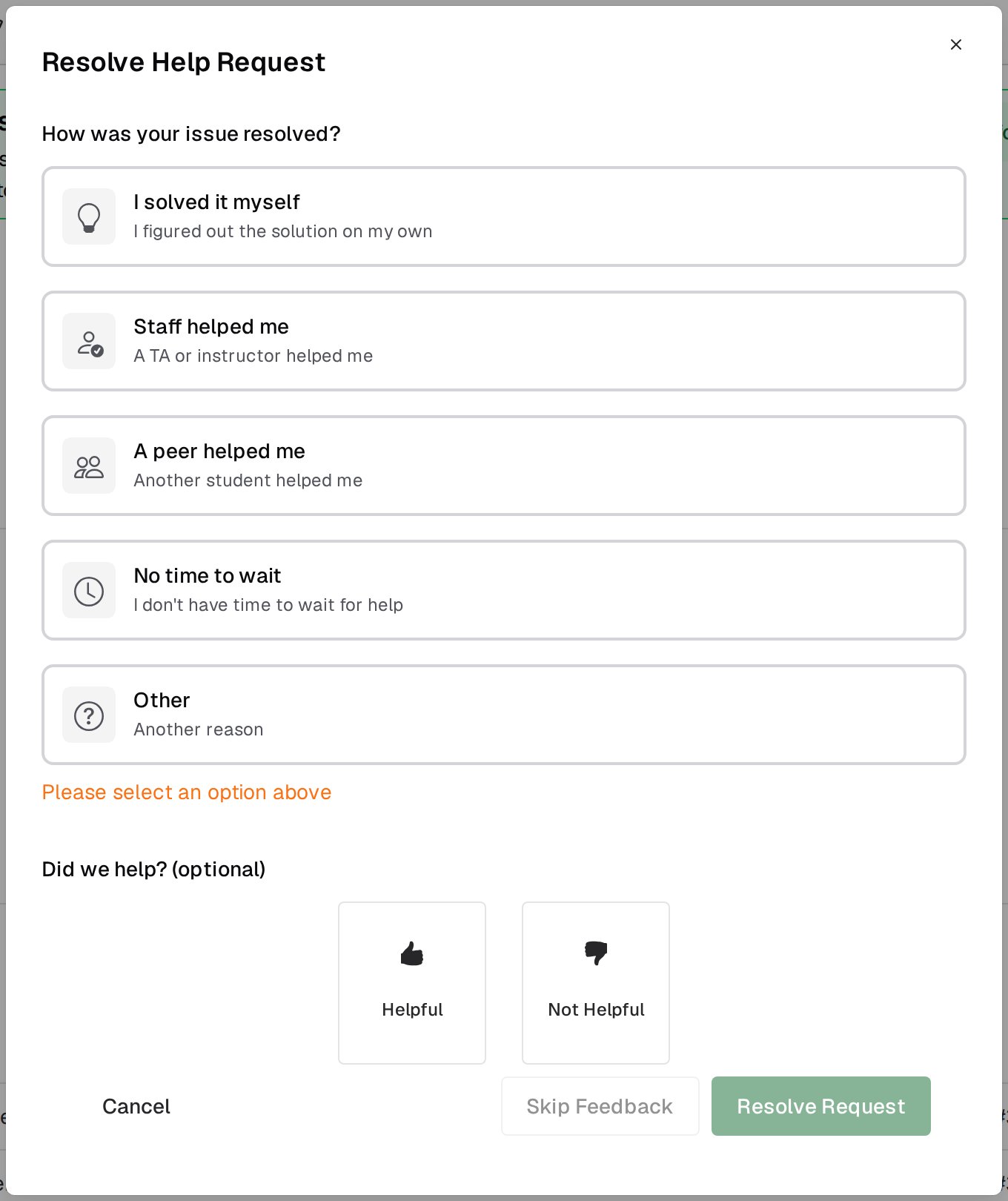
Resolve your own request from the **Resolve** button in the request header, which asks you to confirm first, or from the check-mark button on the floating widget, which opens the dialog straight away. Pick the status that fits:
* **I solved it myself**
* **Staff helped me**
* **A peer helped me**
* **No time to wait**
* **Other**, which asks you for a note
The same dialog offers an optional thumbs-up or thumbs-down with a comment. If you skip it, a **Feedback** button stays on the resolved request so you can leave it later. Instructors can read this feedback and so can you; graders cannot.
 Staff can also mark your request resolved. When they do, no resolution status is recorded for it.
Once a request is resolved or closed, its chat becomes read-only, so save anything you still need from the conversation before you resolve.
## See also
* [During Your Request](/students/office-hours/during-a-request) for the request page and its chat.
* [Office Hours](/students/office-hours) for browsing queues and reading resolved requests from your classmates.
Staff can also mark your request resolved. When they do, no resolution status is recorded for it.
Once a request is resolved or closed, its chat becomes read-only, so save anything you still need from the conversation before you resolve.
## See also
* [During Your Request](/students/office-hours/during-a-request) for the request page and its chat.
* [Office Hours](/students/office-hours) for browsing queues and reading resolved requests from your classmates.