Dashboard
After you log in and select a course, you land on the course dashboard, headed Course name Dashboard. It summarizes what you currently need to act on.Your sections
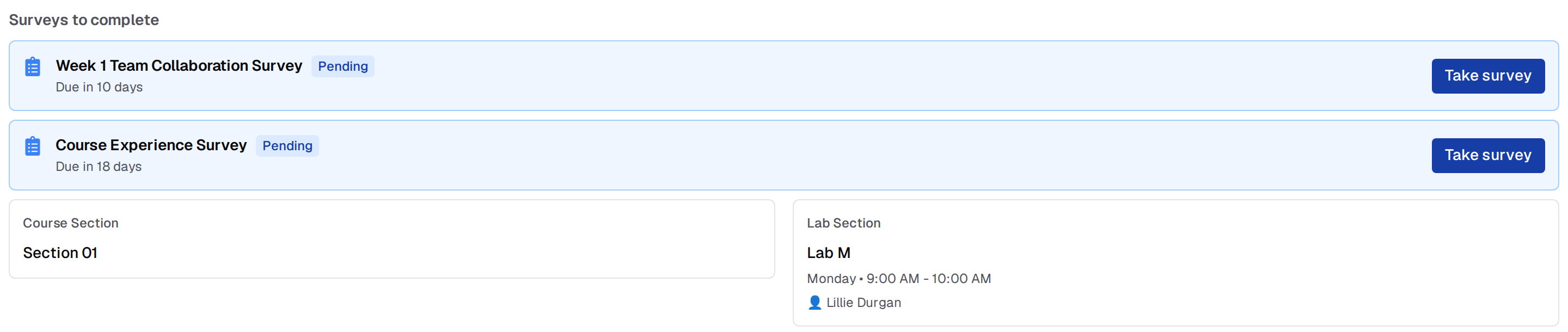
If you are assigned to a course section or a lab section, cards near the top show the section name, its meeting times and location, and — for a lab section — the lab leaders. When your course publishes a calendar feed, a schedule summary appears below those cards.Upcoming Assignments
The Upcoming Assignments section lists the next five assignments whose deadline has not passed yet, soonest deadline first. Once an assignment’s deadline passes it drops off the list, so use Assignments in the course menu to see everything. Each card is titled with the assignment name, which links to the assignment page. Below the title are two rows:- Due: the due date the dashboard has on file for the assignment. If you have an extension on it, or have spent a late token, this is not your deadline — open the assignment page to see yours. In a course that uses suggested due dates, this row shows the suggested date, with Resubmit until and the hard deadline underneath
- Most recent submission: your latest submission number and its autograder score, written as
#3, 18/20. It readsNo submissionsif you have not submitted yet,In Progresswhile the autograder is still running, andErrorif the autograder failed
The score on this card is the autograder score, not your released grade. Check the Gradebook (if your instructor has enabled it) for released totals.
Surveys to Complete
If your course has surveys enabled and you have any available survey you have not submitted, a Surveys to complete banner appears at the top of the dashboard. Each entry shows:- Status badge: Overdue (red), In progress (yellow), or Pending (blue)
- Due date: relative time remaining, or how long ago it became overdue
- Action button: Take survey, or Continue if you have a saved draft
Recent Regrade Requests
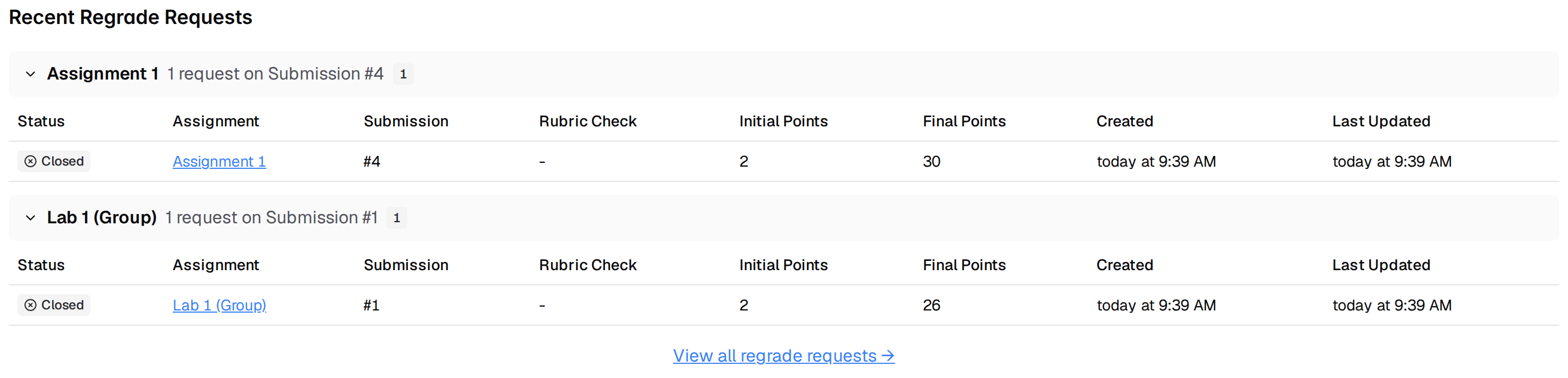
The Recent Regrade Requests section shows your five most recent regrade requests, newest first, with the status, assignment, submission number, rubric check, initial and final points, and when the request was created and last updated. A View all regrade requests → link below the table is the only way to reach the full regrade requests page. See Regrade Requests.